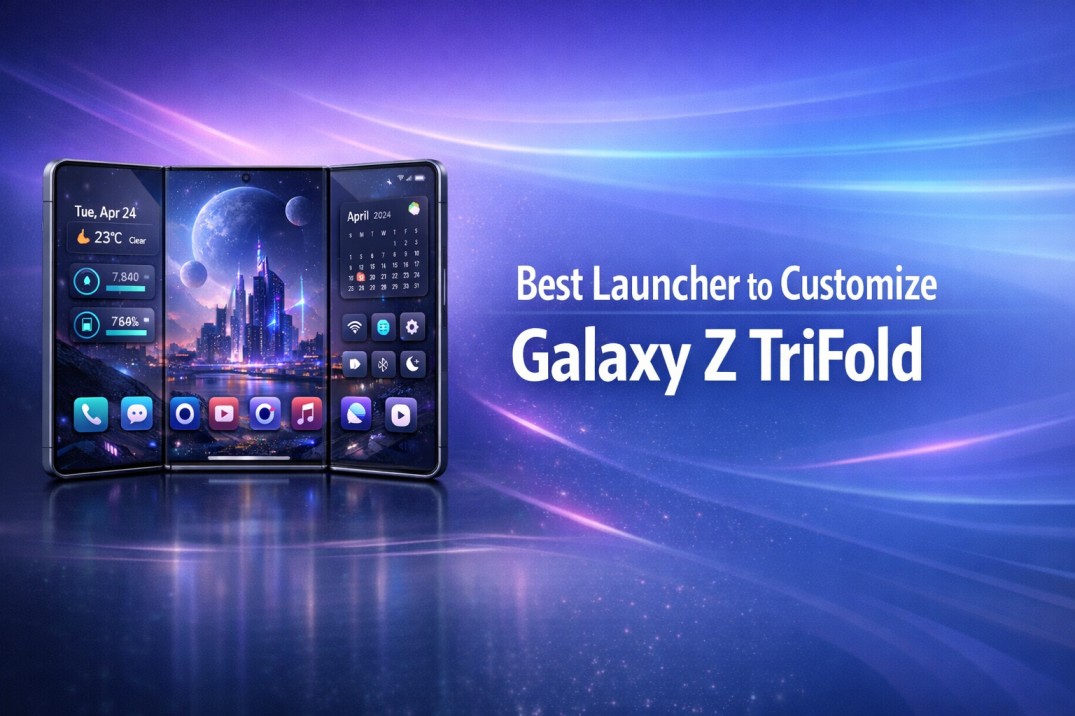
Finding the Best Launcher to Customize Galaxy Z TriFold becomes a real question the moment users unfold the device fully and notice unused space, stretched icons, and awkward navigation. A TriFold phone promises freedom, yet the default interface often limits that promise.
Many users feel unsure whether a launcher can truly adapt to such a large, flexible screen. This confusion grows when common launchers behave the same on every device. The Galaxy Z TriFold demands something smarter, something that respects how people actually use a foldable phone daily.
In this Guide:
Understanding the Galaxy Z TriFold Interface Challenge
The Galaxy Z TriFold changes how people interact with Android. It shifts usage from one-handed scrolling to wide-screen multitasking within seconds. This transition creates friction when the interface does not respond intelligently. Large displays amplify every design flaw. Poor spacing feels cluttered. Weak scaling looks unfinished. As a result, users feel the phone controls them instead of the other way around.
Why Standard Launchers Feel Incomplete on TriFold Devices
Most launchers design layouts for slab phones. When stretched across a TriFold screen, icons feel lost and widgets feel oversized. Navigation loses rhythm. Multitasking also suffers. App switching feels clumsy, and gestures behave inconsistently across fold states. These gaps frustrate users who expect premium behavior from a premium device.
How Screen Expansion Changes Daily Usage
TriFold users rarely stick to one mode. They check messages folded, work half-opened, and consume content fully expanded. Each mode demands a different layout logic. When one static layout tries to handle all states, efficiency drops. Users begin adjusting mentally instead of the interface adapting naturally.
What a TriFold Ready Launcher Must Handle
A proper foldable phone launcher must respect movement, scale, and intent. It should respond smoothly when the screen changes shape. Flexibility matters more than decoration. The launcher must support flow without adding mental load.
Layout Scaling Across Fold States
Layouts should resize gracefully during folds and unfolds. Icons must stay readable and balanced. Static grids break immersion. Adaptive spacing keeps the experience fluid and predictable.
App Grid Control on Large Displays
Large screens need density control. Too few icons waste space. Too many icons create clutter. Granular grid settings allow users to tune comfort and reach, especially during extended usage sessions.
Gesture Consistency and Navigation Flow
Gestures build muscle memory. On a TriFold, gestures must behave consistently in every mode. Smooth transitions reduce friction. When gestures feel reliable, users move faster and feel more confident.
Why Customization Matters More on Foldable Phones
Customization on foldables is not cosmetic. It defines usability. Every adjustment helps the device match personal habits. Without customization, foldables feel restrictive despite their size. With control, they feel liberating.
Visual Balance on Wide Screens
Wide displays magnify imbalance. Poor spacing causes eye fatigue and distraction. Balanced layouts create calm. Calm improves focus and long-term comfort.
Productivity Versus Visual Noise
Animations and effects can look impressive but harm efficiency. On large screens, excess visuals slow interaction. Purpose-driven customization favors clarity. It helps users stay productive without feeling overwhelmed.
How CMM Launcher Adapts Naturally to Galaxy Z TriFold
CMM Launcher aligns well with foldable behavior because it prioritizes control over gimmicks. It respects how users move between modes throughout the day. Instead of forcing predefined themes, it allows flexible layout adjustments that suit changing screen sizes. This approach feels natural on a TriFold device.
Intelligent Layout Control Without Complexity
CMM Launcher offers deep layout control without confusing menus. Users adjust grids, spacing, and gestures intuitively. Advanced options remain accessible but never intrusive. This balance suits both beginners and power users.
Smooth Performance During Multitasking
Performance consistency matters on large displays. CMM Launcher maintains fluid navigation during split-screen usage. Animations remain stable, even when multiple apps run side by side. This stability builds trust over time.
Privacy Focused Customization Controls
A launcher sits at the center of the phone experience. CMM Launcher keeps permissions minimal and transparent. Users control what data stays local. This restraint adds peace of mind during daily use.
Find more clean guides on Top To Find:
Success Story: From Default UI to Personal Control
Rohit from Bengaluru purchased the Galaxy Z TriFold for productivity. Initially, the default interface felt scattered and inefficient. Switching between work apps felt slower than expected. After setting up CMM Launcher, he adjusted grid density for unfolded mode and simplified gestures for folded use. Multitasking became smoother. Visual clutter disappeared. The phone finally matched his workflow instead of interrupting it.
Real World Usage Scenarios on Galaxy Z TriFold
TriFold usage changes throughout the day. A launcher must adapt without forcing manual adjustments every time. CMM Launcher supports this fluidity through flexible layouts and consistent behavior.
Work Mode Customization
In work mode, users prefer clean layouts with focused app groups. CMM Launcher allows minimal widgets and efficient grids. This setup supports multitasking without distractions, especially during meetings or document work.
Entertainment and Reading Layouts
For reading and media, spacing matters. Wider margins reduce strain. Larger icons improve comfort. CMM Launcher lets users create relaxed layouts that suit long viewing sessions.
User Reviews
Amit Sharma, Delhi
“After weeks of frustration, CMM Launcher finally made my Galaxy Z TriFold enjoyable. Layout control feels precise, and multitasking stays smooth all day.”
Neha Verma, Pune
“I wanted customization without complexity. This launcher balances both perfectly on my TriFold device.”
Karan Iyer, Chennai
“Performance matters to me. Even with heavy multitasking, the launcher stays responsive and stable.”
Forum Style Q and A
Forum Question:
Does CMM Launcher handle fold states automatically on Galaxy Z TriFold?Answer: Yes, it adapts layouts smoothly across folded and unfolded modes without forcing repeated manual adjustments.
Forum Question:
Is this launcher suitable for non-technical users?Answer: Absolutely. Default settings work well, while advanced options remain optional for deeper customization.
Common Customization Mistakes TriFold Users Make
Many users overload their TriFold screens with widgets and effects. Large displays amplify clutter quickly. Others copy layouts from slab phones, ignoring the benefits of extra space. A balanced approach works better. Simplicity improves speed, comfort, and daily satisfaction.
Frequently Asked Questions
Is CMM Launcher compatible with Galaxy Z TriFold hardware features?
Yes, it works smoothly with large foldable displays and supports flexible layouts without interfering with system features.
Does heavy customization affect battery life?
Thoughtful customization has minimal impact. Avoid excessive animations for best efficiency.
Can beginners use this launcher comfortably?
Yes, default settings feel intuitive, and learning advanced options happens gradually.
Does the launcher collect personal data?
CMM Launcher focuses on local control and avoids unnecessary data access.
Is this launcher suitable for long term daily use?
Its stability, flexibility, and clean design support consistent long-term usage.
Final Thoughts on Choosing the Right Launcher for Galaxy Z TriFold
The Best Launcher to Customize Galaxy Z TriFold is not about flashy themes. It is about alignment between hardware potential and daily behavior. A TriFold phone deserves a launcher that adapts intelligently, performs consistently, and respects user control. CMM Launcher fits this role naturally by focusing on layout flexibility, smooth multitasking, and privacy awareness. When a launcher works quietly in the background, users gain confidence and comfort. That confidence turns a powerful device into a truly personal tool.
